
Download WiFi Auditor – Free Wi‑Fi Security Scanner for Mac
Overview
In a world where public Wi‑Fi hotspots are everywhere—from coffee shops to airport lounges—staying safe on an unsecured network has become a daily challenge. WiFi Auditor is a free, Mac‑only utility designed to give travelers, remote workers, and casual users a rapid snapshot of a wireless network’s security posture. Within seconds, the tool enumerates available SSIDs, reports encryption types (WEP, WPA, WPA2, WPA3), and even attempts to reveal passwords for open or weakly protected networks.
While the software can display passwords for networks that have been poorly configured, its primary mission is educational: it highlights which hotspots use robust security protocols and which ones pose a risk to personal data. The developer promises a full scan in under five seconds, allowing you to decide instantly whether to connect, disconnect, or look for a safer alternative. Because the app is completely free to download and does not require any prior technical knowledge, it’s an attractive option for anyone who wants a quick, secure way to assess Wi‑Fi safety while on the move.
Whether you’re a digital nomad hopping between co‑working spaces or a student browsing on campus, WiFi Auditor helps you keep your passwords, banking details, and private communications out of the hands of malicious actors.
Key Features & Security Functions
- Instant Network Scan: Detects all nearby wireless networks in under five seconds.
- Encryption Detection: Identifies WPA2, WPA3, WPA, and WEP protocols, highlighting the strongest security options.
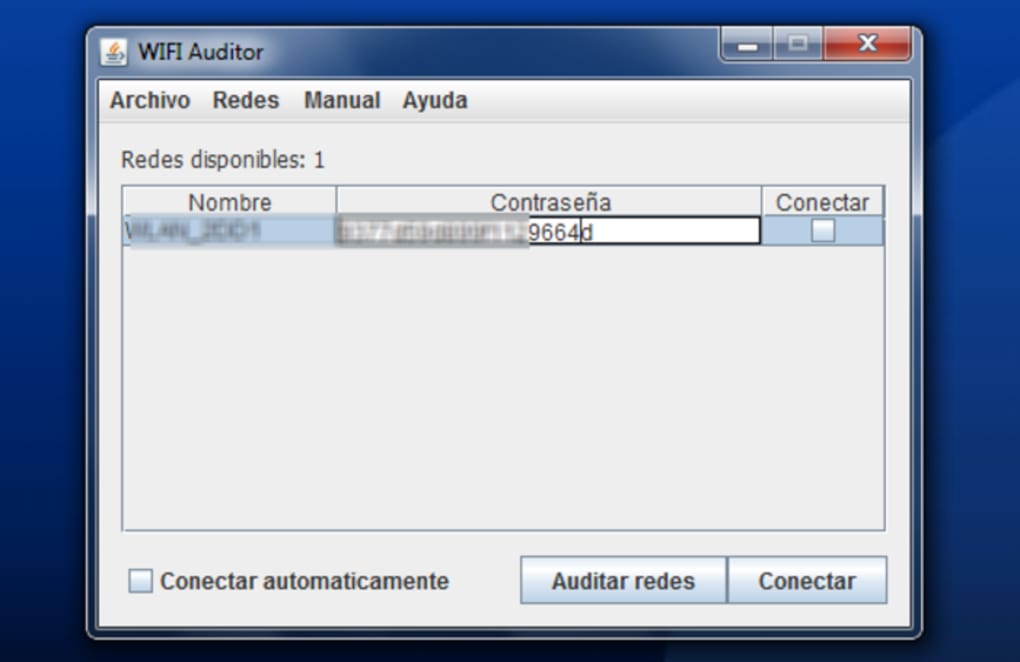
- Password Retrieval: Attempts to reveal passwords for unsecured or weakly protected networks, useful for audit purposes.
- Signal Strength Meter: Shows RSSI values so you can choose the strongest, most reliable hotspot.
- One‑Click Connect: After the scan, you can connect directly to a selected network without leaving the app.
- Detailed Security Report: Generates a printable summary that includes encryption type, channel usage, and potential vulnerabilities.
- Lightweight & Free: No hidden fees, no ads, and a minimal memory footprint.
- User‑Friendly Interface: Designed for non‑technical users with clear icons and tooltips.
Beyond the basic list above, WiFi Auditor incorporates a “Security Score” algorithm that rates each network on a scale from 1 (highly insecure) to 10 (military‑grade encryption). The score is derived from multiple factors: encryption strength, presence of MAC address filtering, and whether the network is broadcasting its SSID. This scoring system helps even novice users quickly differentiate a safe hotspot from a potentially compromised one.
The app also respects user privacy: it never stores scanned data on external servers, keeping all information local to your Mac. If you need a deeper dive, the tool can export the scan results as a CSV file, which can be imported into spreadsheet programs for further analysis or compliance reporting. Overall, WiFi Auditor’s feature set balances simplicity with enough depth to satisfy both casual users and security‑conscious professionals.
Installation & Usage Guide
Getting WiFi Auditor up and running is straightforward, even for users with limited technical background. Follow these steps for a smooth installation on macOS:
- Download the Installer: Visit the official website or the Mac App Store link provided in the article and click the “Download Free” button. The file will be a
.dmgpackage namedWiFiAuditor.dmg. - Mount the Disk Image: Double‑click the
.dmgfile. macOS will automatically mount the disk image and open a window showing the app icon. - Copy to Applications: Drag the WiFi Auditor icon into your
Applicationsfolder. This step ensures the app receives the appropriate permissions. - Grant Network Permissions: The first time you launch the app, macOS will prompt you to allow the program to access your location and network interfaces. Click “Allow” to enable scanning.
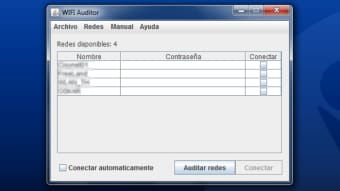
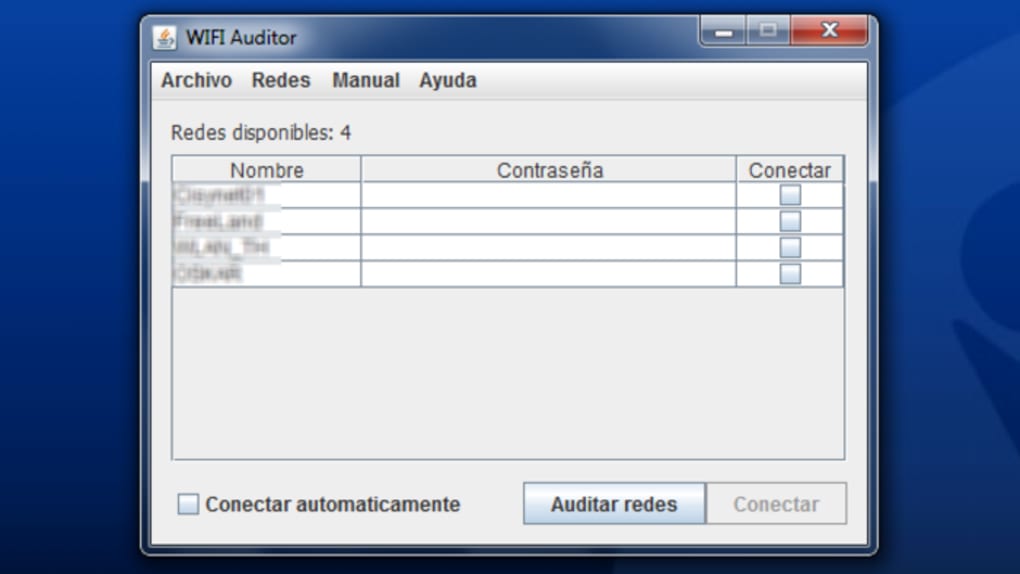
- Run a Scan: Open WiFi Auditor from the Applications folder. The main window displays a “Scan Now” button. Press it, and within five seconds you’ll see a list of nearby networks, each labeled with its encryption type and signal strength.
- Interpret Results: Look for the security score next to each SSID. Networks with a score of 8 or higher are considered safe for everyday use. If a network shows a low score, avoid connecting or use a VPN for added protection.
- Connect or Export: To connect, simply double‑click the desired network; the app will automatically fill in any retrieved password and initiate the connection. If you need a record, click “Export Report” to save a CSV file to your desktop.
The user interface includes tooltips that explain each column, making it easy to understand technical terms like “WPA2‑PSK” or “WEP.” For those who want to fine‑tune the scanning process, the Settings menu offers options to adjust scan intervals, enable hidden network detection, and toggle automatic updates. Speaking of updates, WiFi Auditor checks for new versions once a week and notifies you when a security patch or feature enhancement is available. Because the software is free, there are no hidden subscription fees, and you can continue using the full feature set indefinitely.
Compatibility, Pros & Cons
WiFi Auditor is built exclusively for macOS, supporting versions from macOS 10.13 (High Sierra) up through the latest macOS Ventura (13.x). The app leverages native Apple networking frameworks, ensuring optimal performance and battery efficiency on MacBook Air, MacBook Pro, iMac, and even the newer Mac mini models. While the developer has indicated plans for future Windows and Linux ports, the current release remains Mac‑only, which is an important consideration for mixed‑platform households.
Pros
- Completely free with no hidden costs.
- Fast scan results—typically under five seconds.
- Clear security scoring system for quick decision‑making.
- One‑click connection eliminates manual password entry.
- Exportable CSV reports for compliance or audit purposes.
- Lightweight footprint; minimal impact on system resources.
Cons
- Limited to macOS; no native Windows or Android versions.
- Password retrieval works only on networks with weak or no encryption.
- Advanced users may find the feature set too basic compared to professional pen‑testing suites.
- Relies on macOS permissions; users must grant location and network access.
Overall, WiFi Auditor delivers on its promise of a fast, free, and user‑friendly Wi‑Fi security assessment tool for Mac users. The pros outweigh the cons, especially for everyday travelers who need a quick safety check before connecting to a public hotspot.
Frequently Asked Questions
Is WiFi Auditor safe to use on public networks?
Yes. The app itself does not transmit any data to external servers; all scans are performed locally on your Mac, ensuring your privacy while you assess the security of nearby hotspots.
Can WiFi Auditor crack WPA2 passwords?
No. WiFi Auditor can only reveal passwords for networks that are already misconfigured (e.g., open or WEP). It does not perform brute‑force attacks against WPA2 or WPA3 encrypted networks.
Do I need administrative rights to run the software?
You need to grant the app permission to access your location and network interfaces, which macOS requests the first time you launch it. Administrative rights are not required beyond these permissions.
How often does WiFi Auditor check for updates?
The application checks for updates once a week and notifies you when a new version is available. Updates are delivered through the built‑in updater, ensuring you always have the latest security definitions.
Can I export the scan results for a security audit?
Yes. WiFi Auditor includes an “Export Report” feature that creates a CSV file containing all detected networks, encryption types, signal strengths, and security scores. This file can be imported into Excel, Google Sheets, or any audit tool you prefer.
Conclusion – Should You Download WiFi Auditor?
If you spend a lot of time working from cafés, airports, or co‑working spaces, having a quick, reliable view of the security landscape is essential. WiFi Auditor delivers that insight without charging a dime, and its intuitive interface means you don’t need a background in networking to make informed decisions. While the Mac‑only limitation may disappoint Windows or Linux users, for the Apple ecosystem it fills a niche that many larger security suites overlook. The combination of instant scanning, clear security scoring, and easy one‑click connections makes it a valuable addition to any traveler’s toolbox. Download WiFi Auditor today, run a scan before you log into that free hotspot, and keep your data protected with confidence.







